PYUI Buildtools
PYUI comes with few simple buildtools to make life of developer easy.
1. HotReloading Layouts
2. Compile to executable python project
3. Compile to executable
Hot-Reloading Layouts
It gets hectic to compile layouts after each edit so PYUI comes with hotreloading feature to quickly rebuild your static layout file to show on screen.
For Hot-Reloading a static layout:
python -m PYUI.manage --hotreload layouts/index.xml
Note: Replace layouts/index.xml with any valid pyui layout xml file.
If your layout uses styles that are not present in layouts/styles/ folder then
python -m PYUI.manage --hotreload layouts/index.xml --stylepath <custom-style-folder>
Note: Replace layouts/index.xml with any valid pyui layout xml file.
Result:
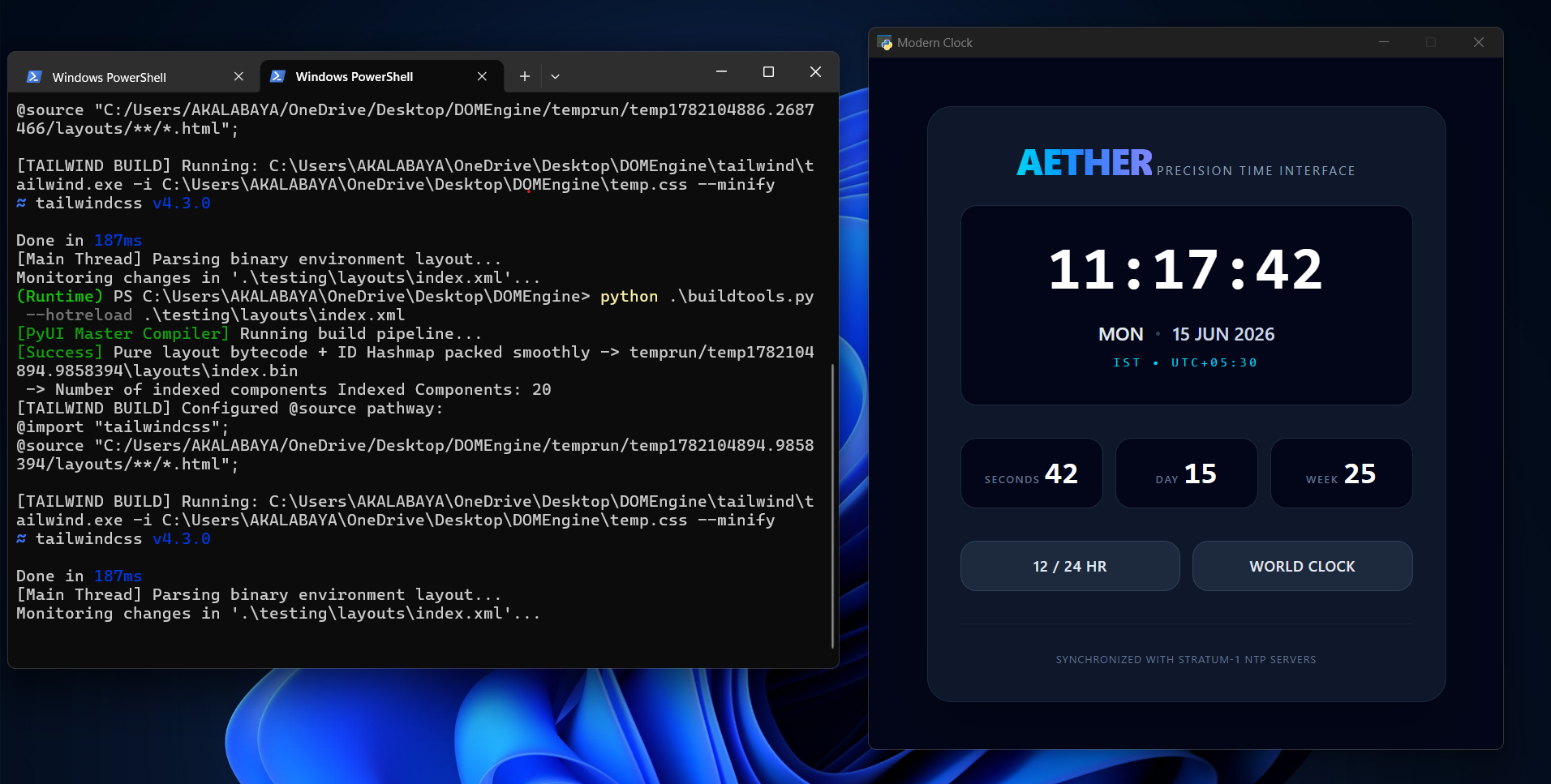
Any change to the xml file will be instantly reflected in the window
Additionally, if you want to keep the layout window always on top of your screen, you would like to use --keepontop flag.
python -m PYUI.manage --hotreload <xml-layout-file-path> --keepontop
Note: use --settings settings.py or any custom PYUI settings file.(To learn about settings file visit:Configuring Build Pipeline)
Compiling to python project
It is slower to compile whole project to .exe as it reqires pyinstaller to build executable. However for faster loading and debuging purposes, you can compile your project to a ready to use project to load your dynamic app in a single command.It is recomended to use this than compiling to exe often after each result. Compiled exe will be idential to this exactly.
Visit your project directory
cd HelloWorldApp
Note: Replace HelloWorldApp with the name of your project directory.
Compile and run your project in one go
python -m PYUI.manage --compile ./ --run
To compile to python project without executing instantly
python -m PYUI.manage --compile ./
Note: use --settings settings.py or any custom PYUI settings file.(To learn about settings file visit:Configuring Build Pipeline)
A temporary folder will be created: build/temp_xyz.abcd (Check the last line of your terminal to get the folder) go to that folder and
python bootstrap.py
The app will load as it is in compiled executable stage.
Compiling to executable
For distribution purposes it is absolutely important to build project into exe.
Install pyinstaller (If not installed):
pip install pyinstaller
Go to your project directory
cd HelloWorldApp
Note: Replace 'HelloWorldApp' with the name of your project directory.
Compile to Exe:
python -m PYUI.manage --compileexe <project-directory>
Important Extra flags for Executable compilation:
-
--target
- DEBUG: For general purpose debuging purposes
- RELEASE: For release
- Default: DEBUG
-
--console To keep showing console in compiled executable
-
--name
- Define the name of the exe
- DEFAULT: PYUICommonExecutable
-
--settings Any Custom PYUI settings file.(To learn about settings file visit:Configuring Build Pipeline)